Steward
Formerly One Manager, Many Agents.
One inbox for your Claude Code sessions: a practical method for running several of them under one manager.
I run several Claude Code sessions at once: games, the libraries they share, a dashboard. For a while the hardest part of my week was not the code they wrote. It was me, carrying decisions, questions and approvals between their windows.
This is the method I use instead. One more session, the manager, keeps the records in plain files, writes the specifications the other sessions implement, checks what they report, and puts every open question to me in one place, with the options and a recommendation. The guide explains it in 24 pages, and the kit installs it: your own agent reads one file, interviews you, and sets the method up for your projects.
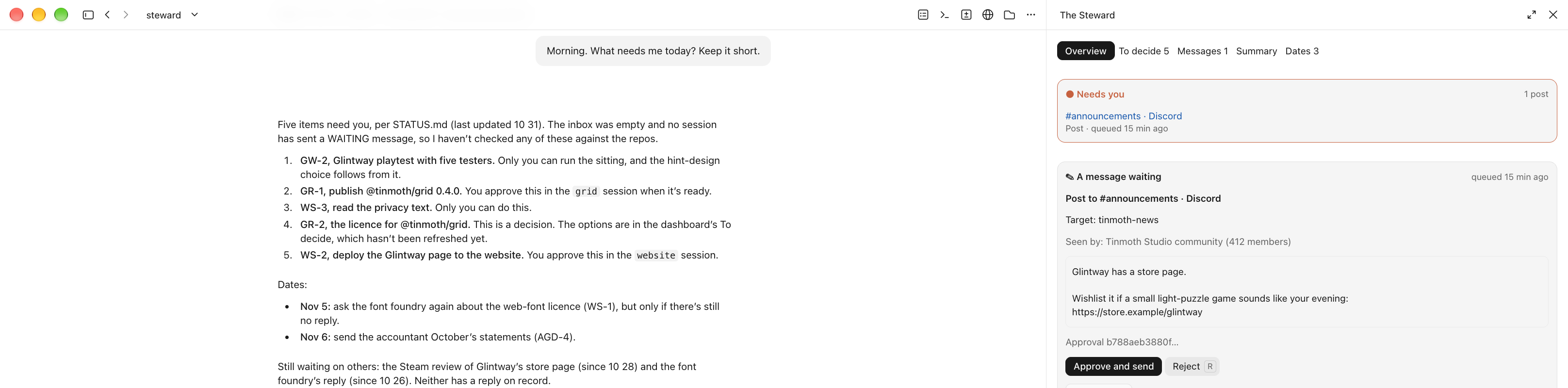
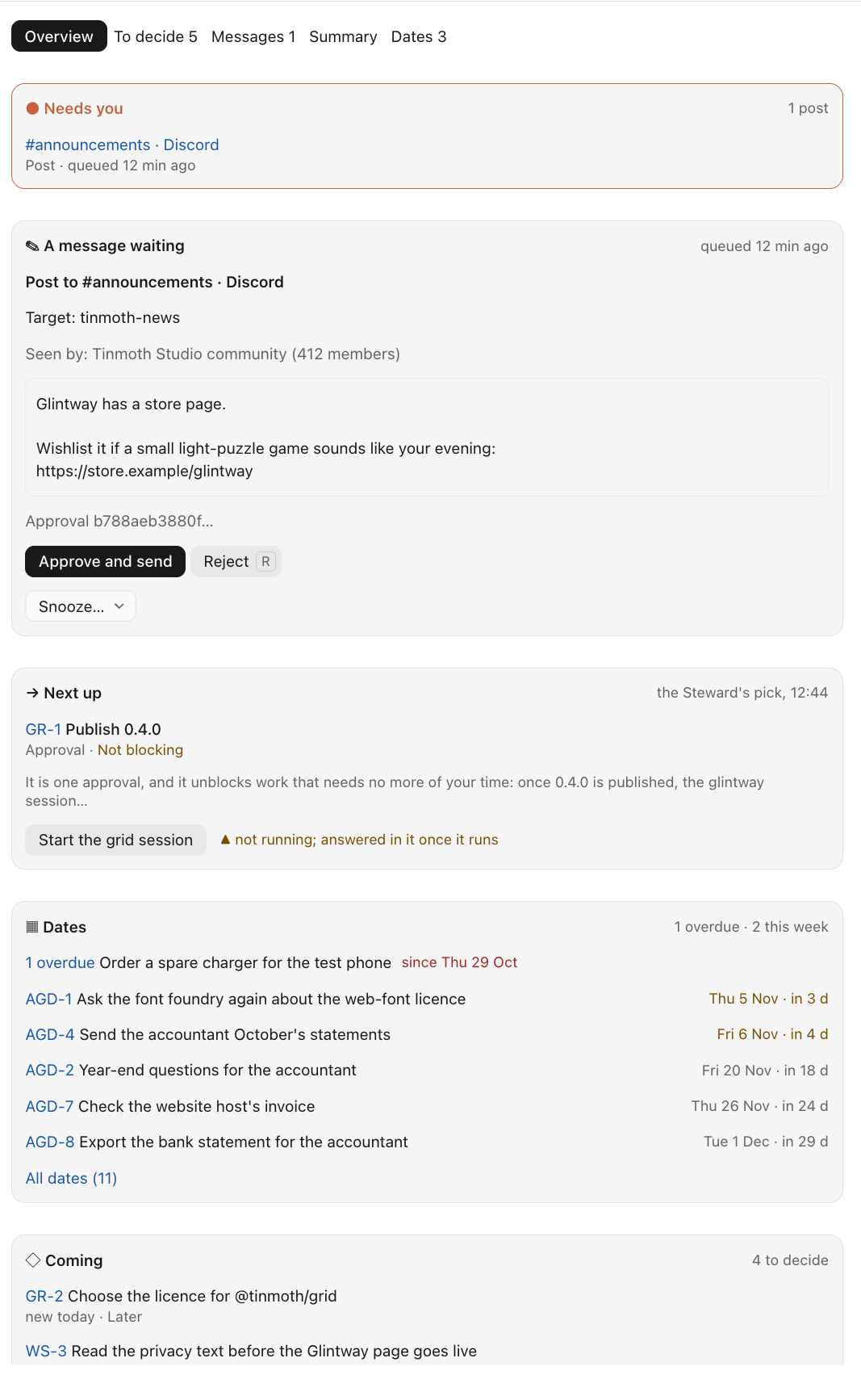
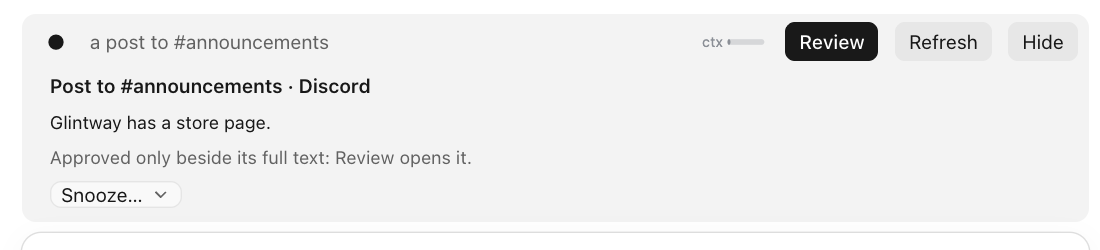
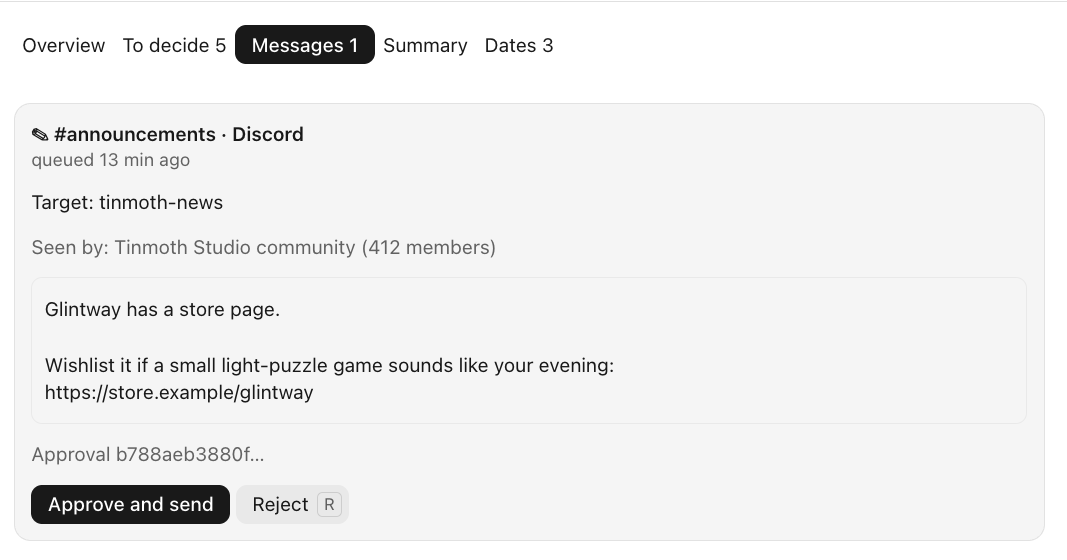
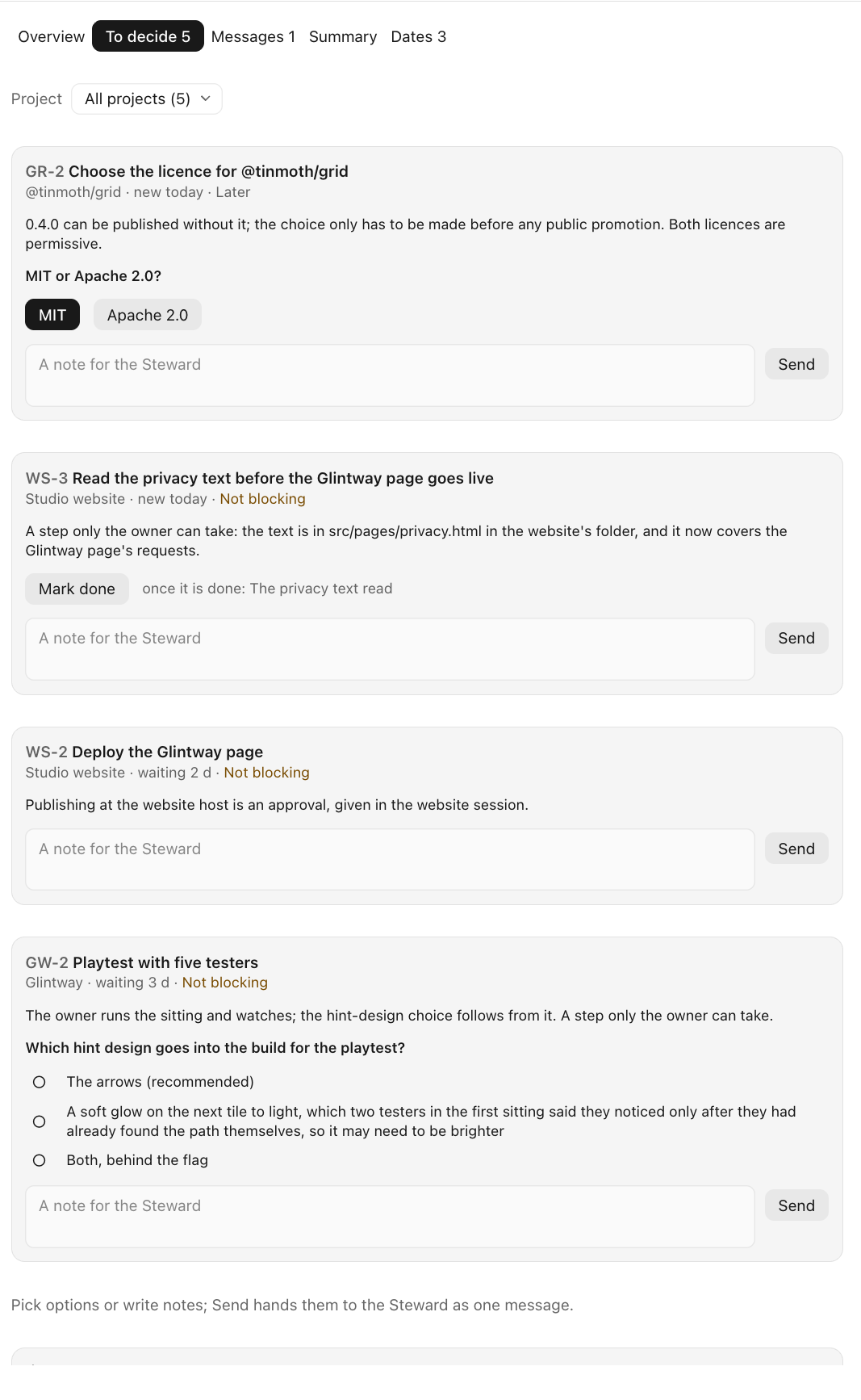
New in 1.4: the method in the Claude desktop app. The manager and every project session run as conversations in the app's Code tab, with no terminal. Beside the manager's chat, the overview shows what needs you first: approvals your sessions wait for, posts waiting to go out, the questions to decide and the coming dates. A band above the input box lights when something waits on you. In the app, one press sends the post you read, word for word, and the chat script still refuses it if anything changed. A stopped session starts on your own words. Teams posts now carry clickable links. Each decision waiting on you carries its urgency as a tag, and overdue to-dos stay in sight. The guide grows to 24 pages, with the app's part illustrated; the kit's changes list upgrades an installation from 1.3.
Runs on your machine, inside Claude Code
Steward is Claude Code and plain files. There is no extra service to sign up for and no server to run: the manager and your project sessions are ordinary Claude Code sessions, in a terminal or the Claude desktop app, and the records are Markdown files under Git, in your own folders.
- Nothing to install from npm or PyPI. The kit's scripts use only Python's standard library, so there are no new dependencies in your projects. The overview in the desktop app is a Claude Code plugin installed from a folder in the kit, not from an online marketplace.
- Readable before it runs. The kit is plain text you can read: Python, Markdown, and the overview's TypeScript. Your agent installs it from one file, and asks you before it changes anything outside the folders it creates.
- No calls of its own. Claude Code works as it always does; the kit adds no outside connections, except optional parts you choose to turn on: the Microsoft 365 skill, the push check through GitHub's command-line tool, the dashboard's GitHub status, domain expiry lookups and server checks, and image runs through Codex CLI.
What it looks like

Who it is for
You already use Claude Code every day, you have more than one session going, and you are comfortable with Git, a terminal, plain-text files and a little Python.
It is not a first-steps book, not a hosted platform, and not a way to let agents decide unsupervised.
What it gives you
- One place for everything that needs you. Questions, choices and approvals from every session reach you in the manager's window, each with its options and a recommendation, and on one local dashboard page. You stop going from window to window to find out what is waiting.
- Decisions that travel, approvals that stay put. A choice you make once reaches the session that needs it, in your own words. Anything that publishes, deploys or costs money is still approved by you, in the session that does the work. A message from the manager is never your yes.
- Reports that are checked before they are believed. The manager checks a session's report against the repository before it records it. A report is a claim until something has looked.
- Records you can read without an agent. Status, dated decisions with your own words, and one file per project with an ID for every open item, all in plain Markdown under Git. A fresh session starts where the last one stopped.
- Spending proposed before it happens. A paid API call is put to you first: which model, how many calls and why, the estimated cost and what it buys. Nothing runs until you say yes in that session.
- Client work kept apart. A fence between groups of sessions blocks messages between your own products and a client's work, and each group's sessions get their own rules at the start of every session.
What is inside
- The guide (PDF, 24 pages): the problem, the shape of the fix, how it works, the rules learned the hard way, and the weak spots.
- The bootstrap and the kit: one file your agent follows to install the method, and the tested parts it installs: the manager's workspace, the session rules, the message fence, the launcher, the dashboard, a push check and a command-line guard. Tested from the zip on a clean Mac. New in 1.1, optional: a Microsoft 365 skill, with which the manager posts to your Teams chats only after you approve the chat, the text, the pictures and the files, and reads your mailbox, read only; and a status line that shows what needs you under every session's prompt (both tested offline).
- What you need: Claude Code 2.1.224 or later; Python 3.9 or later; Git; macOS with iTerm2, or tmux.
Honest limits
Parts of the method lean on Claude Code behaviour that is not documented, so every claim about a tool carries the version and the date it was checked, and the kit's tests tell you when an update breaks something. Several sessions cost more than one. The kit is tested on macOS.
On Gumroad
The guide and the kit are one product, with free updates for every 1.x release.
By Michael Shvets.
Not affiliated with, or endorsed by, Anthropic, OpenAI or Microsoft. Claude Code, Codex and Microsoft 365 are named to describe the tools the method uses.